
Note that your enterprise may not have the feature enabled if you don't see the Auto Launch option on your platform.
How to Enable Auto Launch
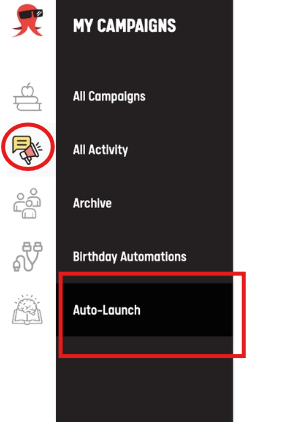
- Go to My Campaigns
- Open the Auto-Launch tab. You’ll see a list of Auto-Launch Types available to you
- Find the Auto-Launch Type you want to participate in.
- Click Enable.
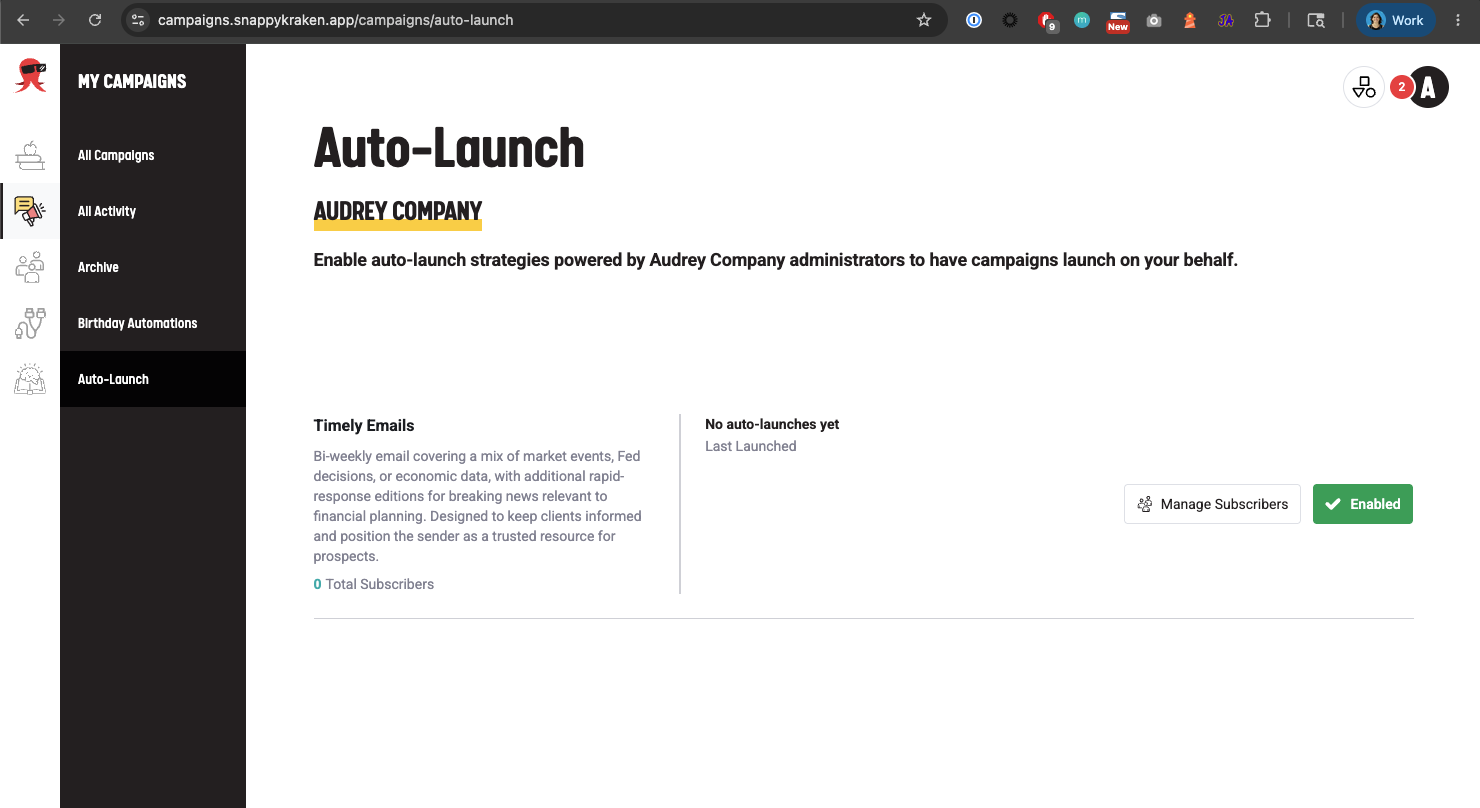
- A contact group is automatically created for each enabled strategy. Add contacts to the groups that fit the goal.
Manage who receives the campaigns
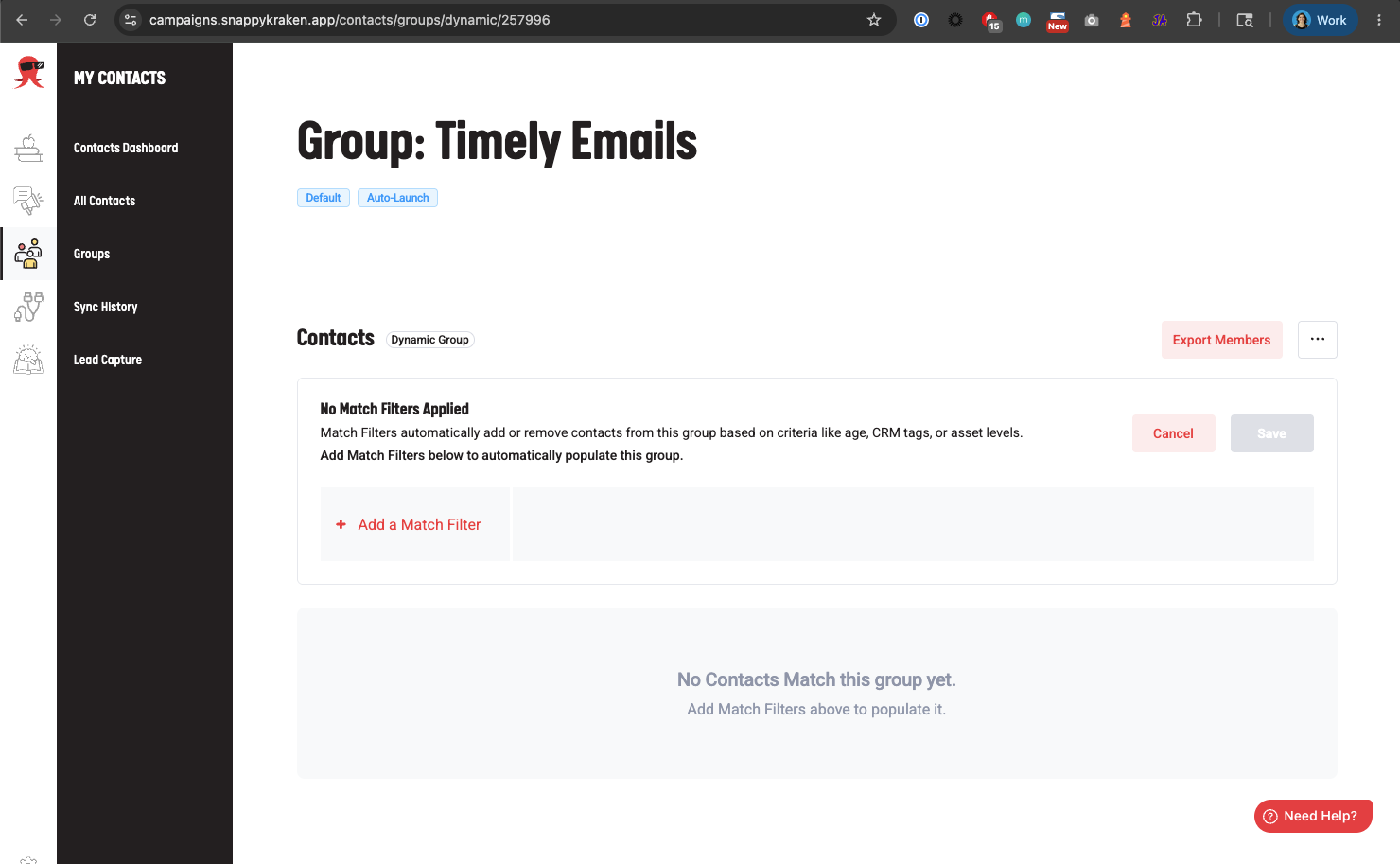
When you enable a type, a Default Dynamic Auto-Launch group is automatically created for that Auto-Launch Type and is automatically subscribed to auto-launch campaigns.
Key Steps
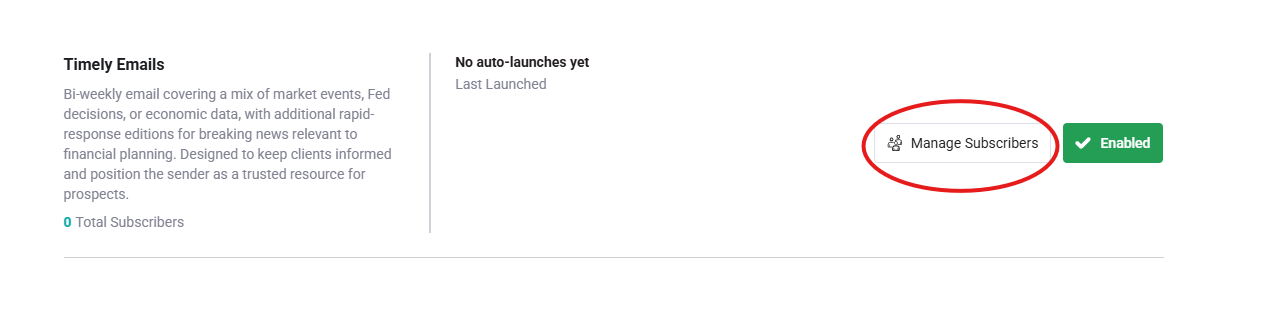
- On the Auto-Launch page, click Manage Subscribers.
- Review the dynamic group’s match filters.
- Update the filters as needed.
- Save your changes.
Important Notes
- You can enable more than one Auto-Launch type.
- If you enable an Auto-Launch type but no contacts match your group filters, no contacts will receive the campaign.
- You will be notified in Marketing Hub and by email when a new campaign has been scheduled.
Need help?
If you are missing Auto-Launch types or want to confirm what is available for your custom enterprise platform, contact support.