
Snappy Kraken gives you the flexibility to customize when specific steps in your campaigns are sent. Whether you need to add a delay or schedule a step for a specific date and time, this feature puts you in control of your campaign timeline.
What You Can Do
- Apply a delay to any step – Push a step further out in your campaign timeline
- Schedule specific steps – For scheduled emails and texts, choose an exact date and time for delivery
How to Delay a Step
- Navigate to the Campaign you want to edit.
- In the Timeline view, hover over the step you want to delay
- Click the delay icon
- Select a specific date and time using the date and time pickers
- Click Save
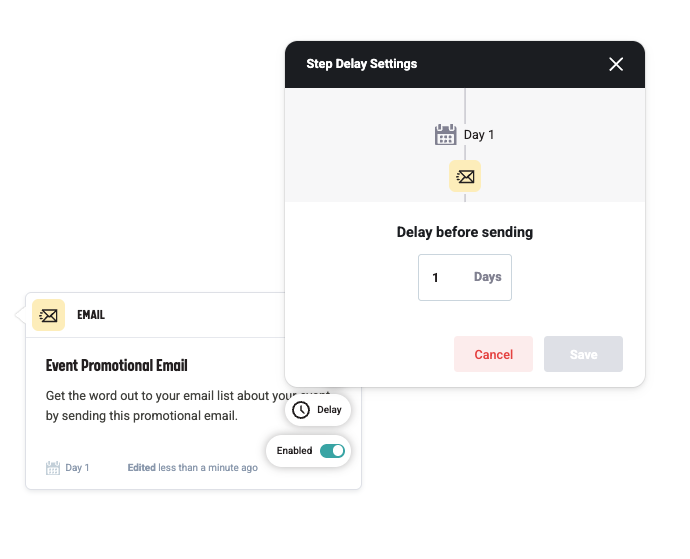
Your step will now be sent at the delayed time you specified.
How to Schedule a Step
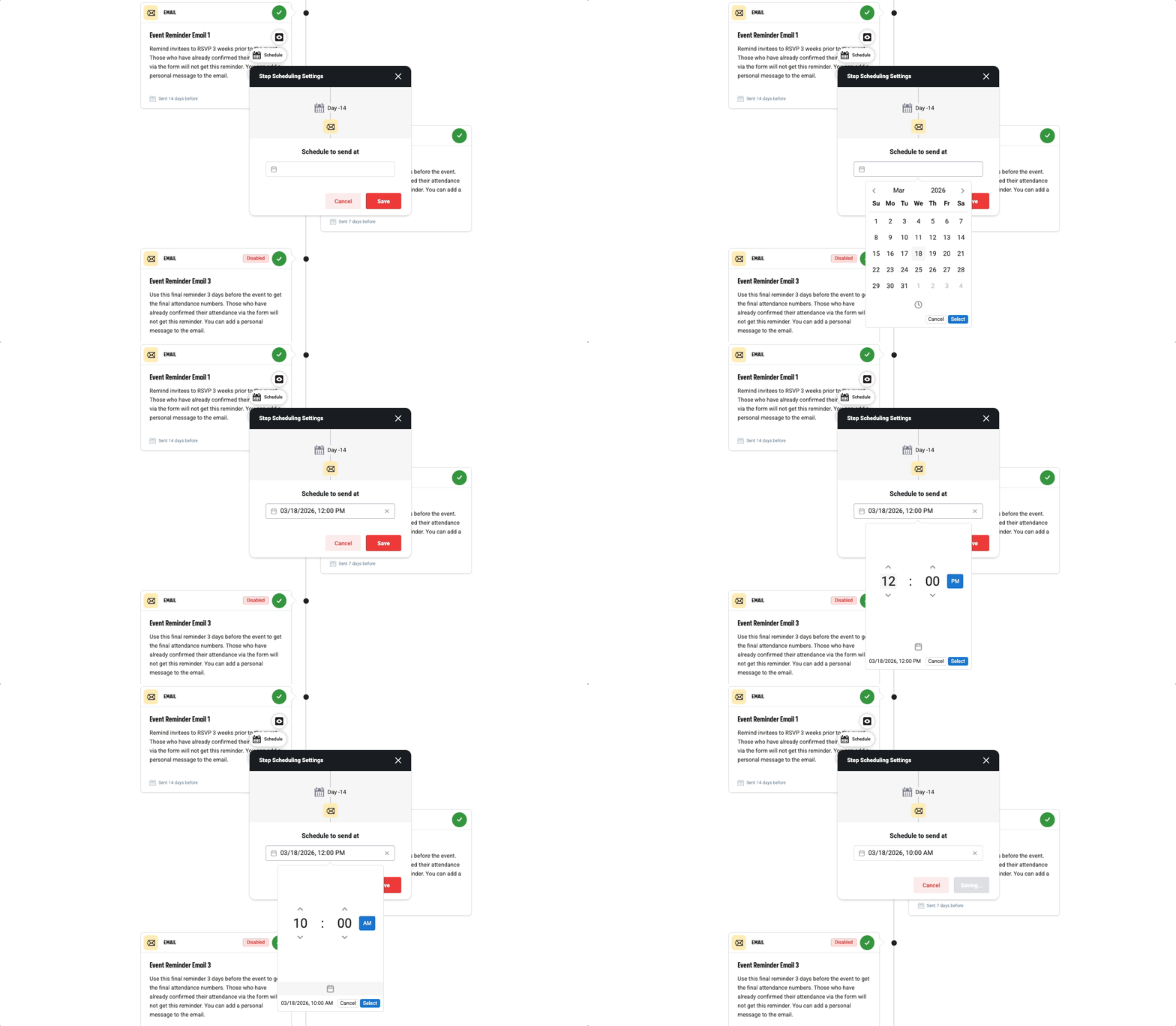
For scheduled emails and texts, you can set an exact date and time for when the step should be sent:
- Navigate to the Campaign you want to edit.
- In the Timeline view, hover over the scheduled step
- Click the schedule icon
- Select a specific date and time using the date and time pickers
- Click Save
Important Notes
Locked Steps
Some campaign steps may be locked and cannot be rescheduled or delayed. This happens when the content team has strategically designed the timing and wants to maintain the campaign's intended flow.
Past Dates
If you schedule a step for a date and time that has already passed (either before launching the campaign or while waiting for compliance approval), that step will be automatically skipped. The campaign will continue with the next step in the timeline.
Sending Order
Delaying an earlier step in a campaign does not automatically delay the subsequent steps. As a result, emails may be sent out of the intended sequence shown on the timeline.
Be sure to review and adjust any later steps accordingly to maintain the correct order and prevent confusion—especially if later emails reference earlier campaign steps or messaging.
Which Steps Can Be Scheduled
Only scheduled emails and scheduled texts can be set to a specific date and time. All other step types can only be delayed.
Questions?
If you need help or have questions about scheduling your campaign steps, please contact support.