
Archiving campaigns keeps your campaign dashboard organized by removing inactive campaigns while preserving them in your account for reference. Archived campaigns are not deleted and can still be accessed later if needed.
When to Use This
You may want to archive campaigns when:
- A campaign has already finished running
- You want to clean up your active campaign list
- You no longer need to manage a campaign actively, but want to keep it stored for reference
Step 1: Go to the Campaigns Page
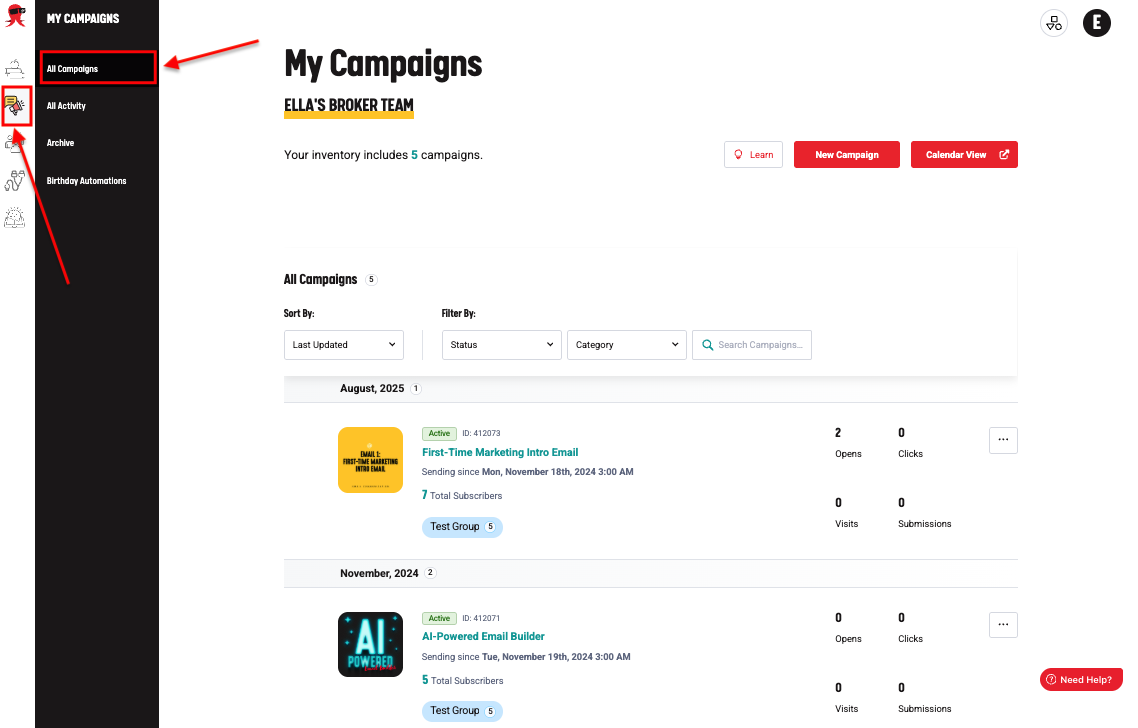
- Log in to your account. From the left-side menu, click Campaigns. This will open the full list of campaigns in your account.
Step 2: Select the Campaign(s)
To archive campaigns:
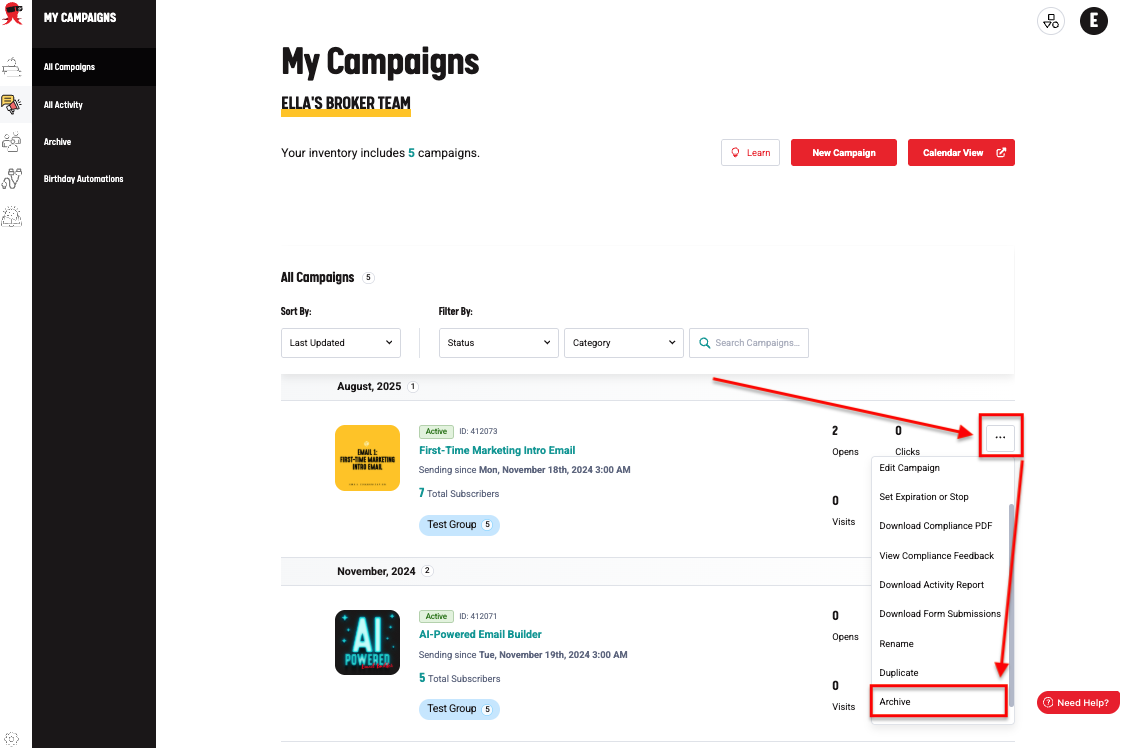
- Locate the campaign you want to archive. Use the checkbox next to the campaign name to select it.
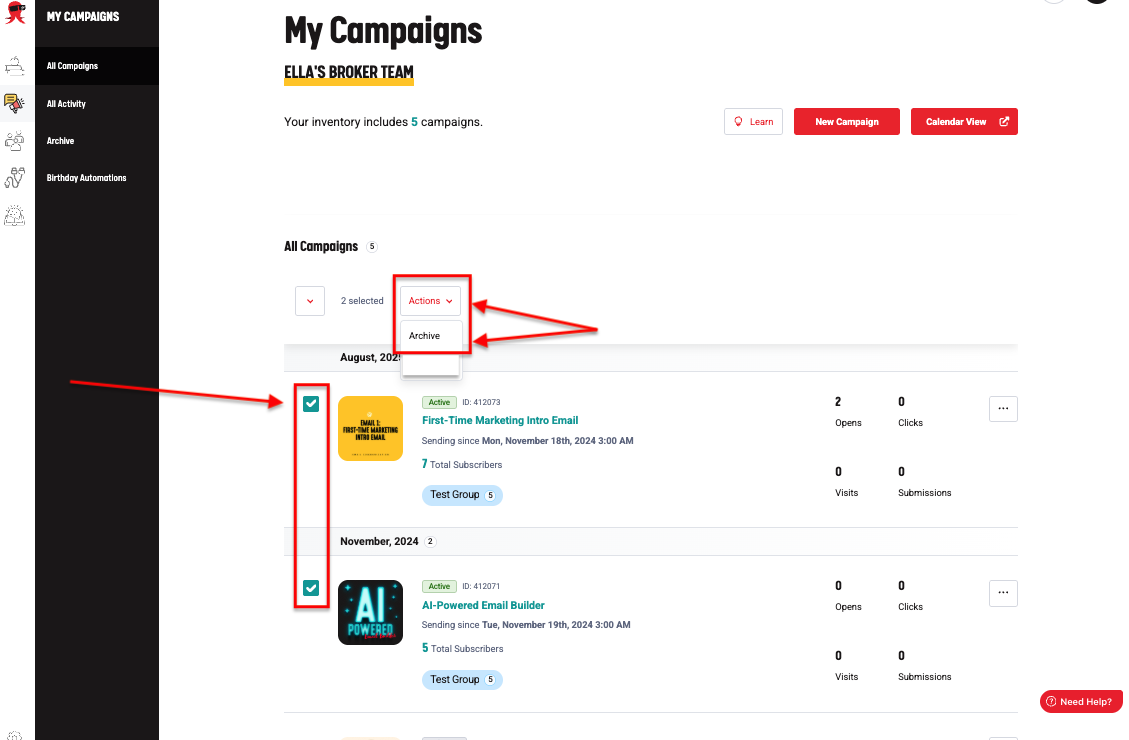
- To archive multiple campaigns, check the boxes next to all campaigns you want to archive.
Step 3: Archive the Campaign(s)
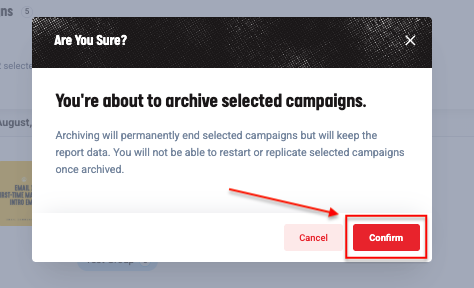
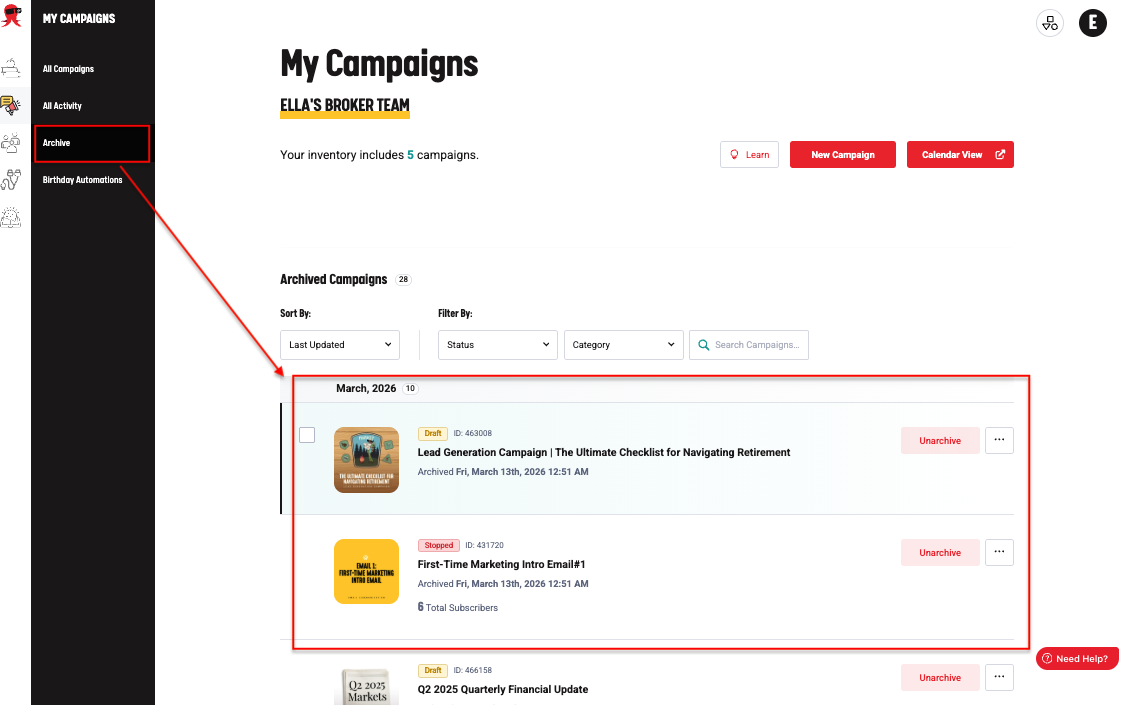
- After selecting the campaign(s), click the Archive option in the action menu. Confirm the action when prompted.
- The selected campaigns will be moved to the Archived campaigns section.
If you need any assistance during this process, submit a ticket. We’re here to help!