
The LPL Research Auto-Launch feature helps you automatically share newly published LPL research content with the right contacts, without rebuilding a campaign every time.
Before you start
This feature is specific to LPL advisors. If you are part of an enterprise account with similar types of content, please reach out to your account manager.
What this does
Click Next on the pop-up below to start a walkthrough of this feature.
- Automatically creates a new campaign when a new LPL research item is published.
- Uses a pre-built campaign format that includes:
- A branded landing page that links to the research PDF.
- An email that drives traffic to the landing page.
- Optional social steps that link to the same landing page.
- Automatically creates a dynamic group used to decide which contacts will receive campaigns generated for that Auto-Launch type.
- Schedules the campaign to launch the next day at 9 AM PST/12 PM EST.
- The campaign is sent to the contacts included in your dynamic group.
How to enable an LPL Auto-Launch type
- Go to My Campaigns → Auto-Launch.
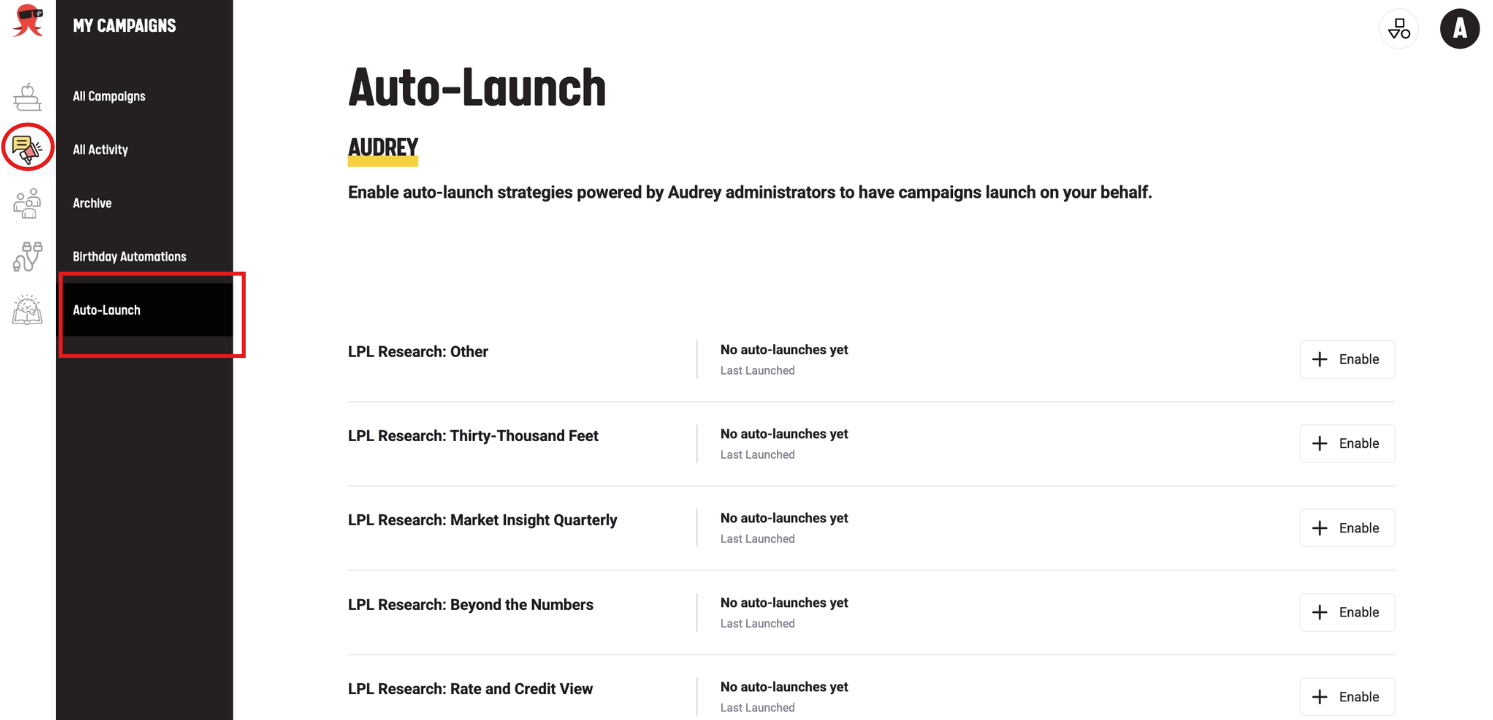
- Find the LPL Auto-Launch type you want to use.
- Click Enable.
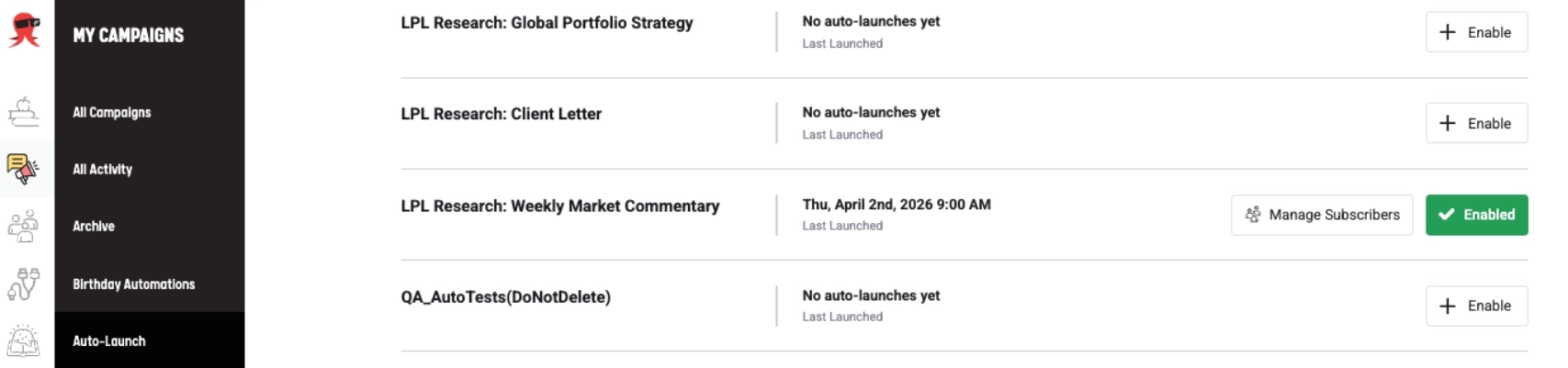
Manage who receives the campaigns
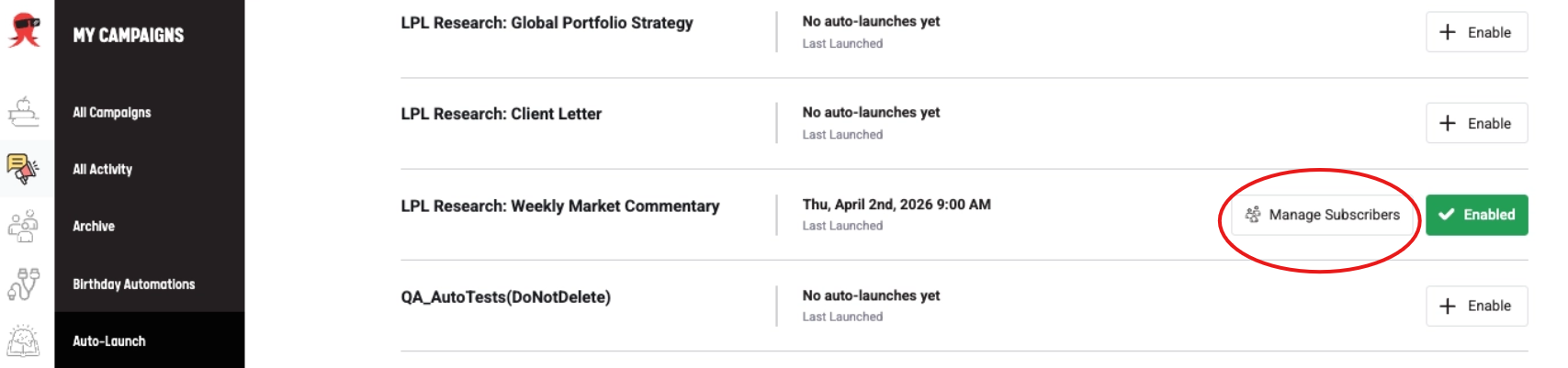
- On the Auto-Launch page, click Manage Subscribers.
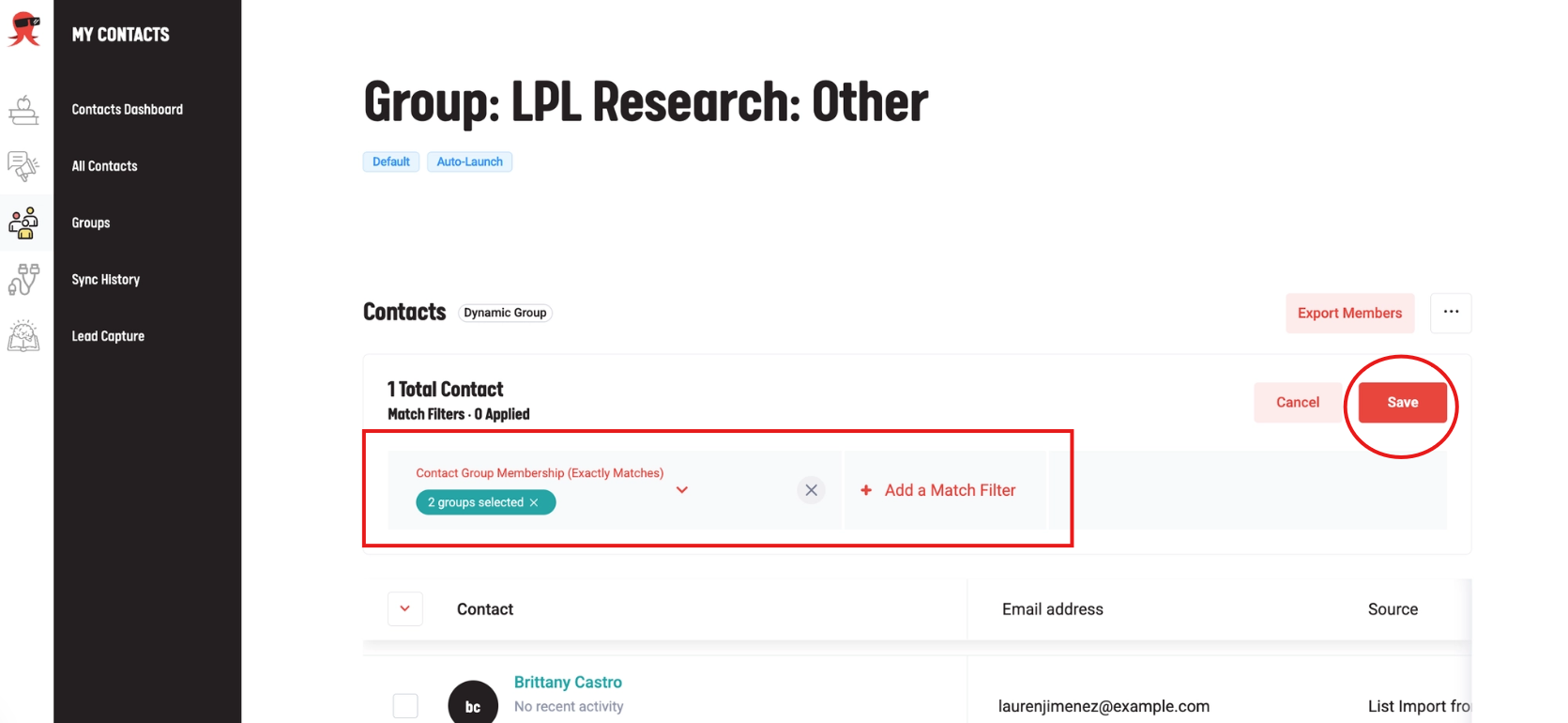
- Review the dynamic group’s match filters.
- Update the filters as needed.
- Save your changes.
Important Notes
- You can enable more than one LPL Auto-Launch type.
- If you enable an Auto-Launch type but no contacts match your group filters, no contacts will receive the campaign.
- You will be notified in Marketing Hub and by email when a new campaign has been scheduled.
Need help?
If you are missing LPL Auto-Launch types, or you want to confirm what is available for your fleet, contact support.