If your enterprise platform has enabled activity syncing, advisors can sync selected contact activity from Snappy Kraken to a connected CRM. When activity sync is turned on, supported engagement events are sent to the CRM during the nightly sync so teams can view prospect and client activity alongside other CRM records.
Enable activity sync for your CRM
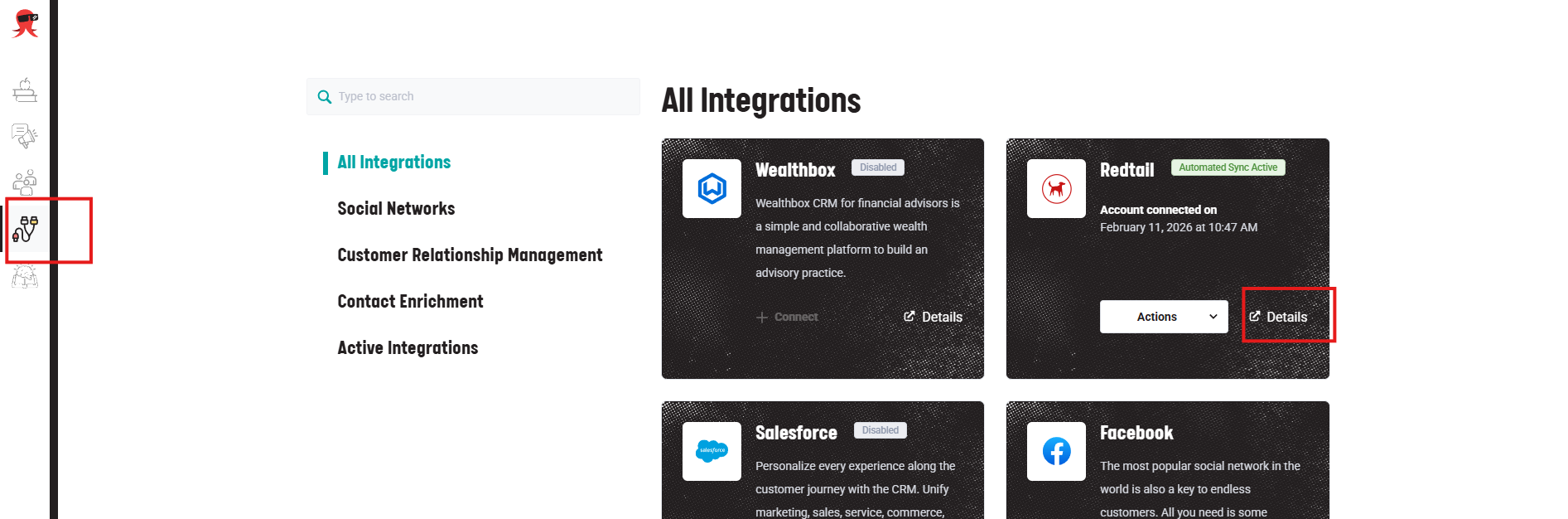
- Go to the Integrations page (from the left-hand side menu).
- Select the Details link from the CRM integration you have connected.
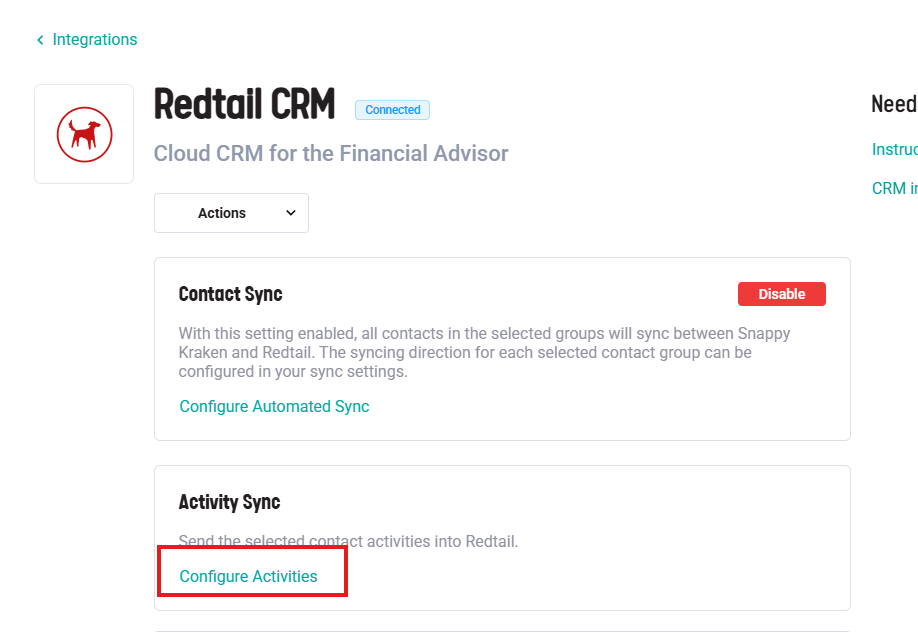
- Click on Configure Activities under the Activity Sync section.
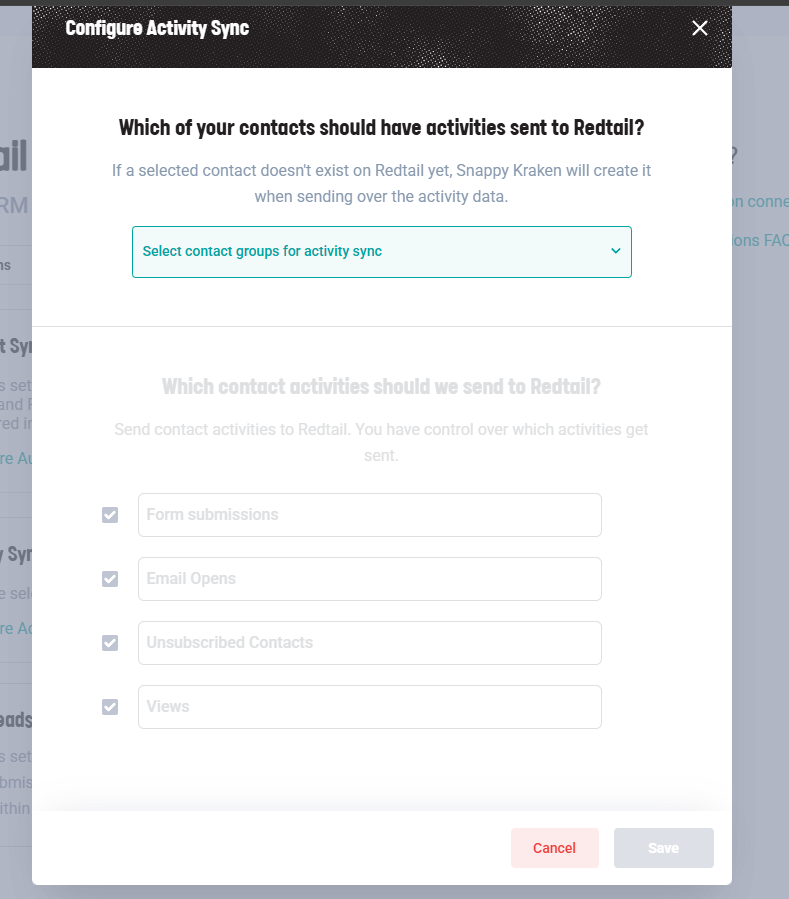
- Select the contact groups you want to sync for activities.
- Choose which activity types should sync to the CRM.
- Save your settings.
Once enabled, activity data is recorded and sent to the CRM during the nightly sync.
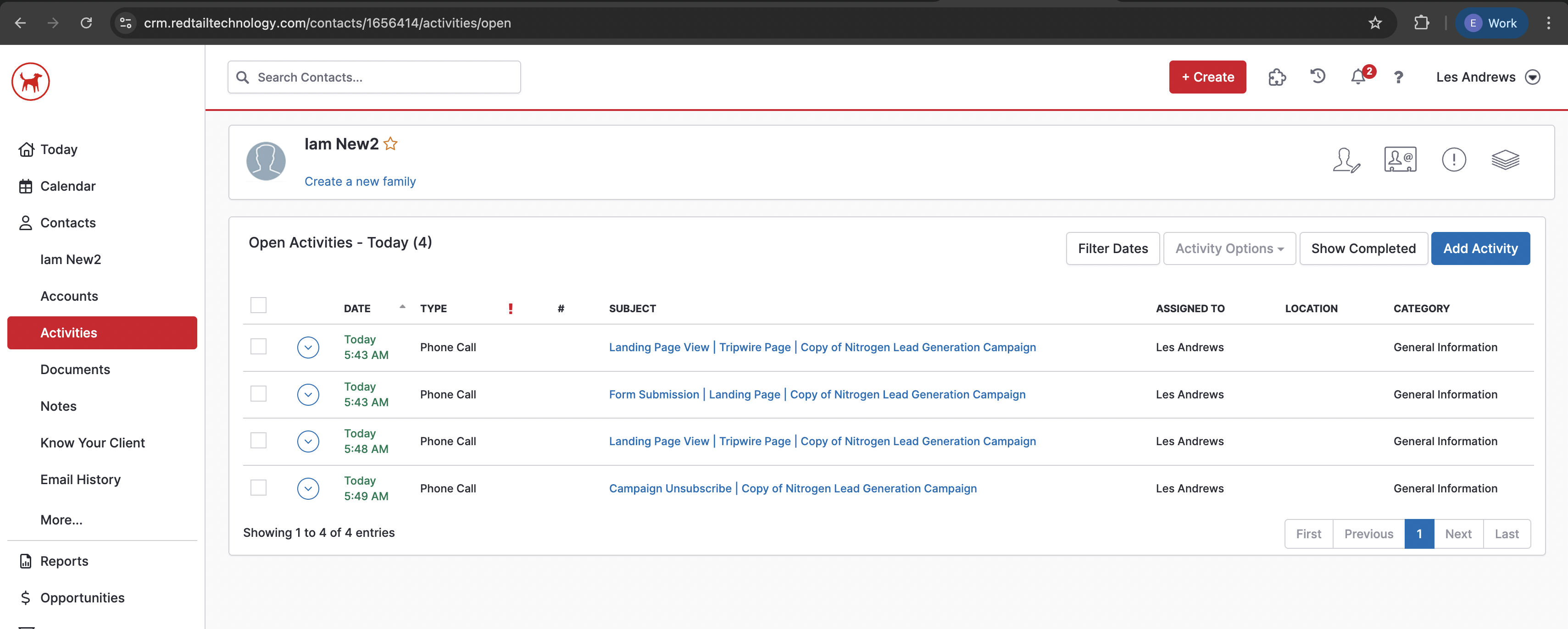
Redtail
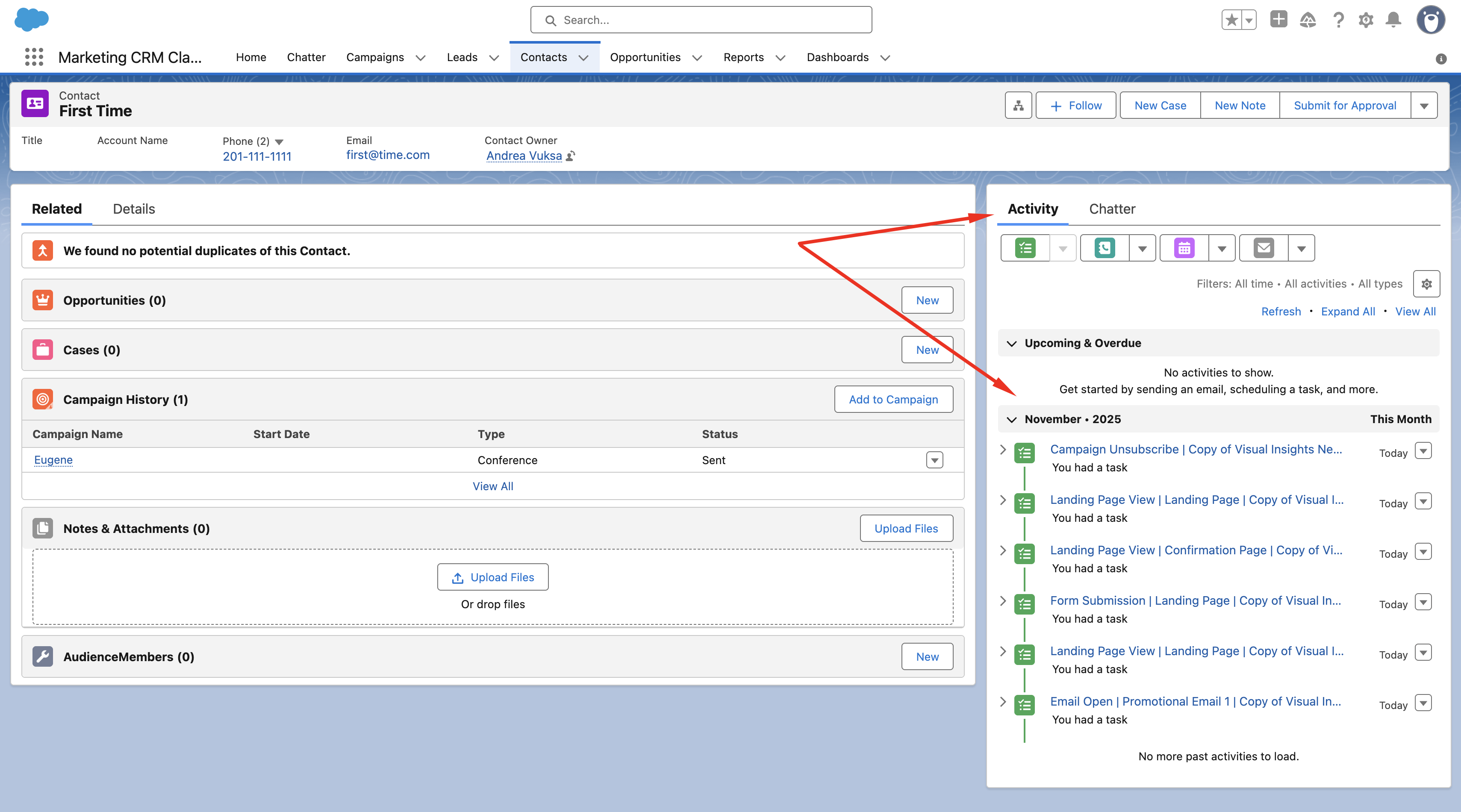
Salesforce
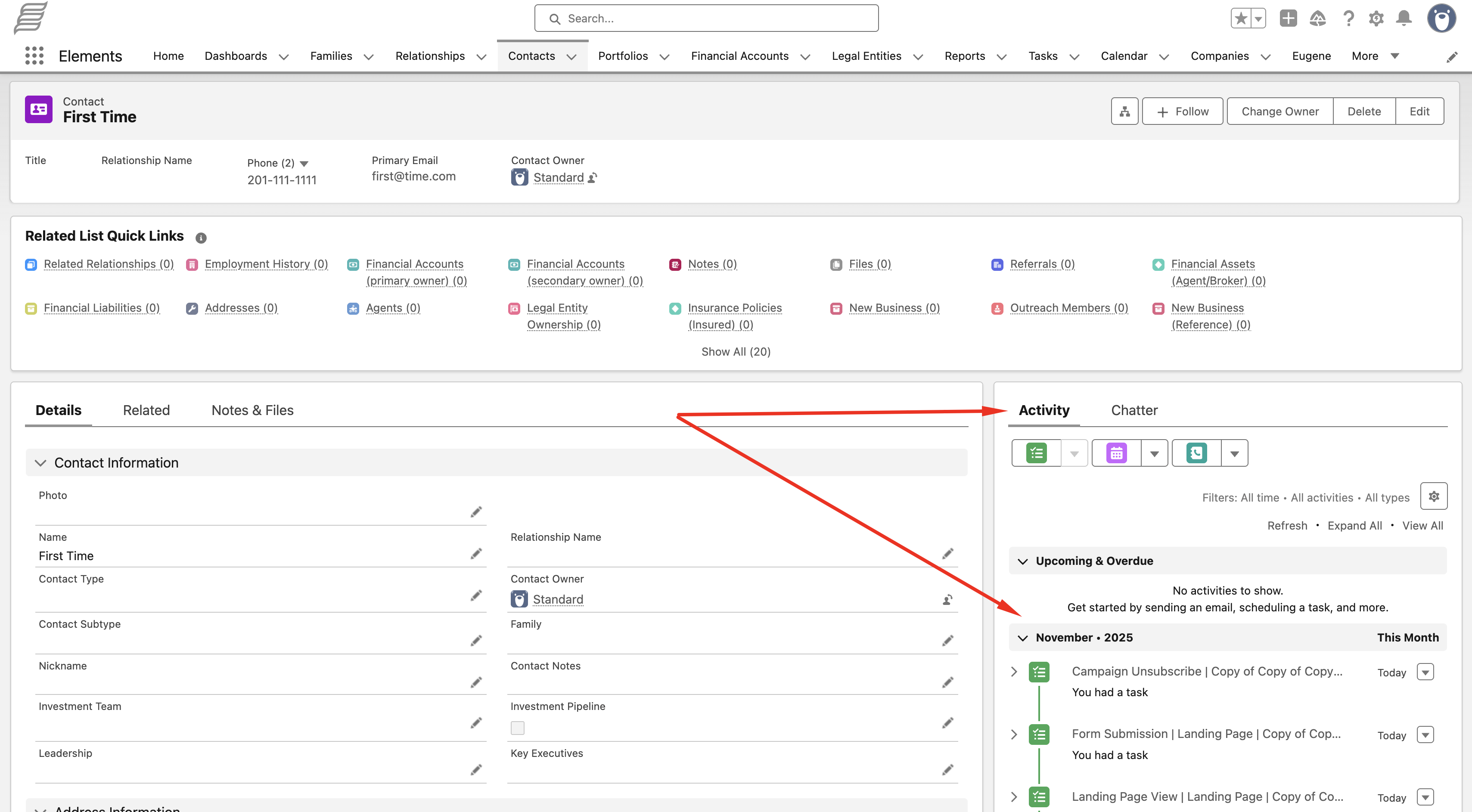
Salentica
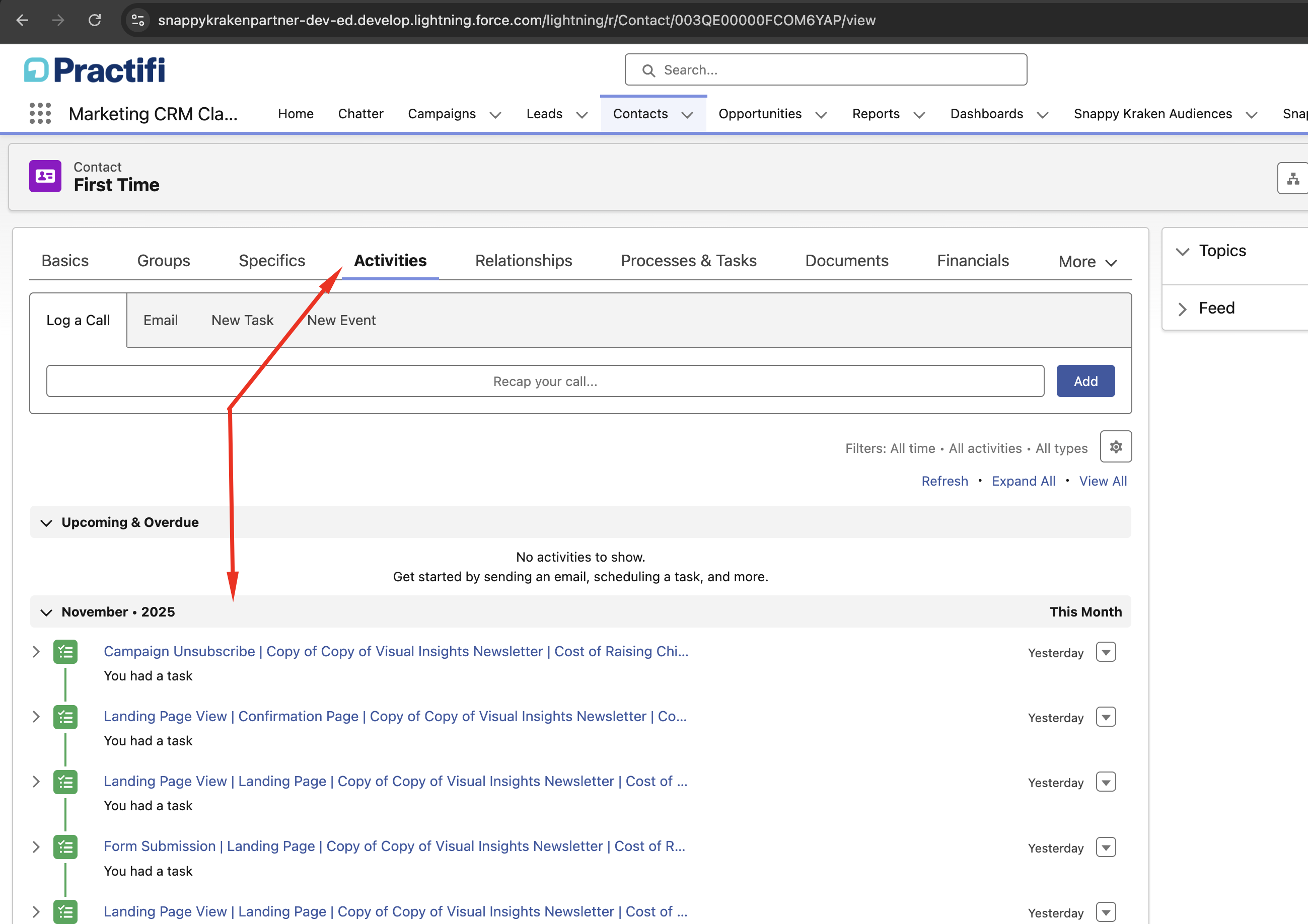
Practifi
Wealthbox
If you do not see activity sync options, contact your administrator or Support to confirm whether your CRM setup supports this feature.
Supported activity types
Activity sync can send the following engagement events to the CRM:
- Form submissions
- Campaign unsubscribes
- Email opens
- Landing page views
What appears in the CRM
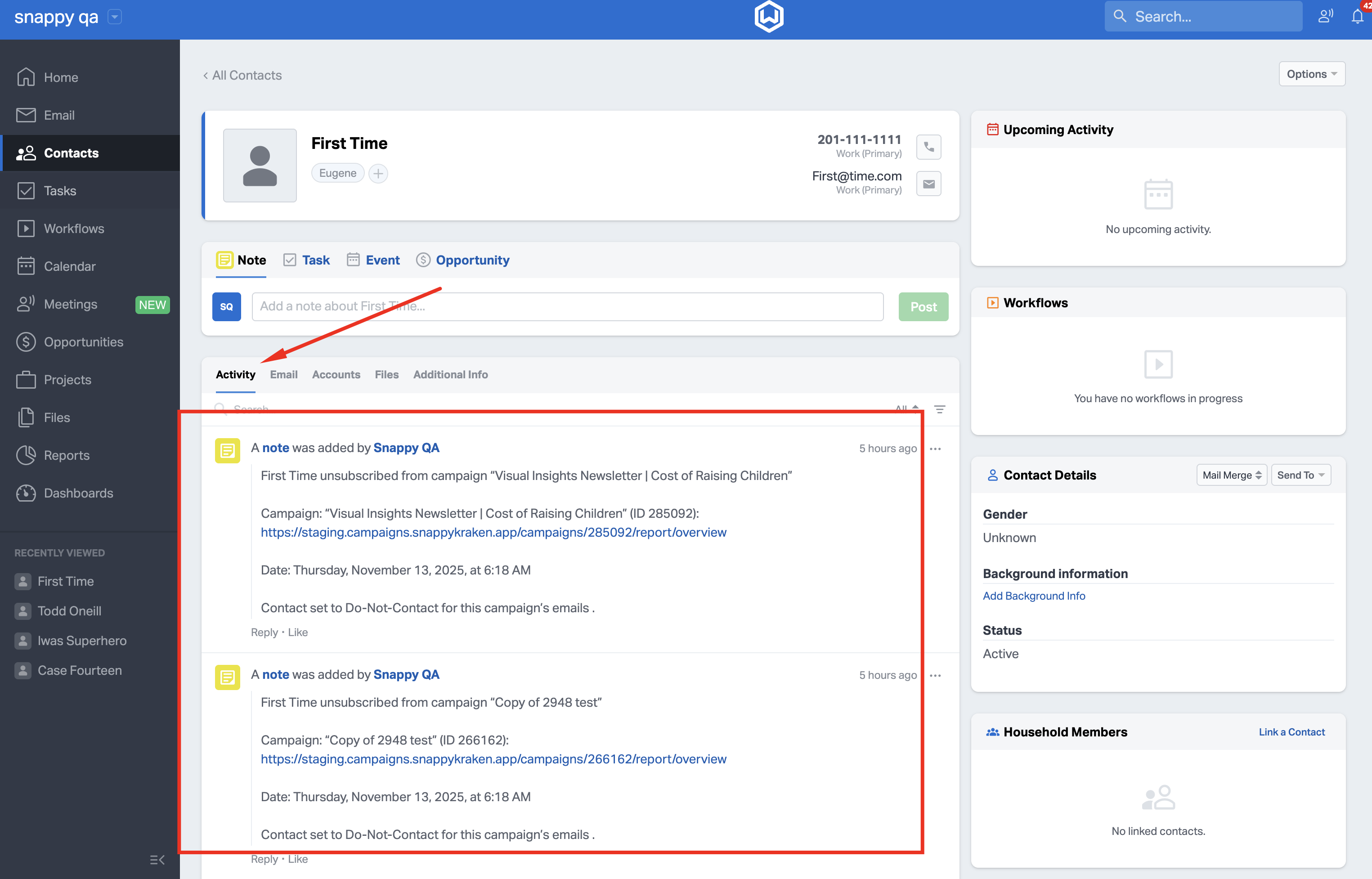
The CRM activity record includes details about the engagement event, such as the contact name, campaign, step, event date, and related URLs when available.
Form submission
When a contact submits a form, the CRM activity includes:
- Form submission title
- Contact name
- Campaign name and ID
- Campaign URL
- Step name and ID
- Form type
- Submission date
- Summary of submitted fields
Campaign unsubscribe
When a contact unsubscribes from a campaign, the CRM activity includes:
- Campaign unsubscribe title
- Contact name
- Campaign name and ID
- Campaign URL
- Unsubscribe date
- Confirmation that the contact was set to Do Not Contact for that campaign’s emails
Email open
When a contact opens an email, the CRM activity includes:
- Email open title
- Contact name
- Email subject
- Campaign name and ID
- Campaign URL
- Step name and ID
- Open date
Landing page view
When a contact views a landing page, the CRM activity includes:
- Landing page view title
- Contact name
- Landing page URL
- Campaign name and ID
- Campaign URL
- Step name and ID
- View date
Important notes
- Activity data is only recorded after activity sync is enabled.
- If a synced group is removed from two-way sync, that group is also removed from activity sync.
- If no groups remain in the activity sync settings, activity sync is disabled.
- Availability may vary by CRM and enterprise configuration.