
What this article helps you do
Understand how Snappy AI usage is measured, when the monthly limit resets, and what happens when the limit is reached.
Before you begin
AI credits are tied to your monthly Snappy AI allowance. The allowance can vary by organization and plan.
How it works
Snappy AI usage is tracked as AI Credits against a monthly allowance. A single question can use multiple model calls when Snappy AI needs several rounds of tool use, and longer questions or replies can use more credits.
Your allowance is recalculated when relevant account or plan settings change. Unused credits do not roll over. Usage resets to zero on the first day of each month, while the allowance remains in place for the new month.
How to do it
- Open the account area or profile menu in Campaigns.
- Review the AI Credits usage indicator and monthly allowance.
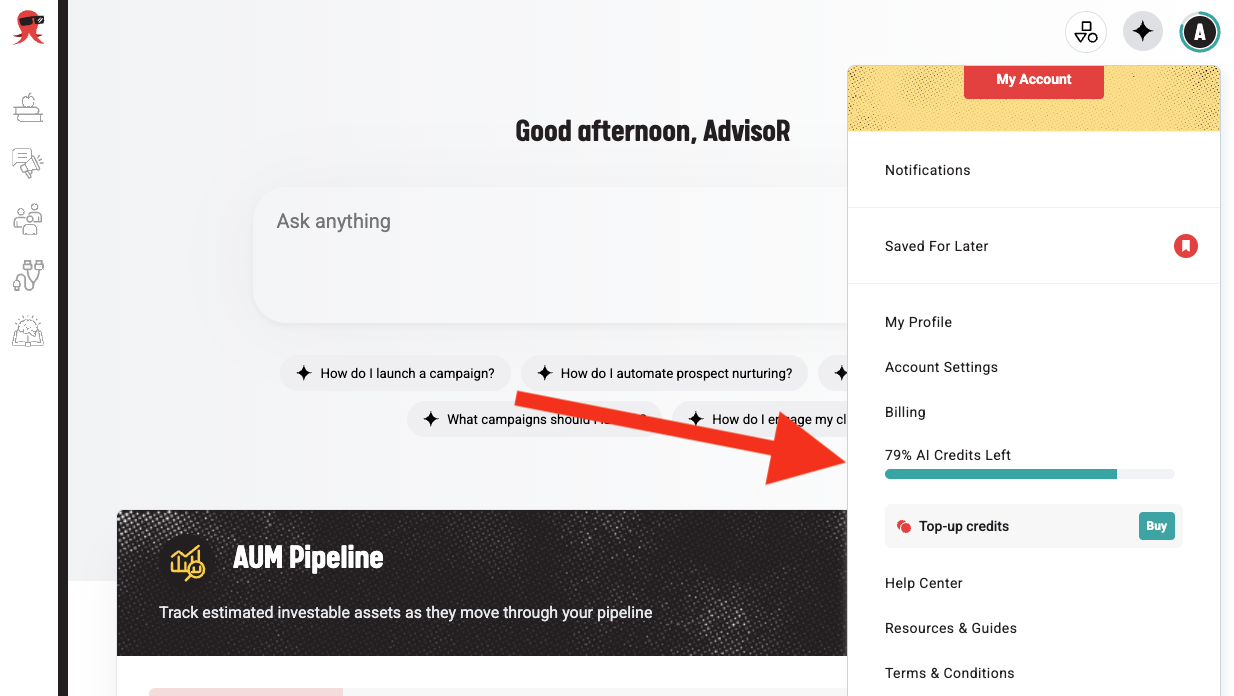
- The ring around your profile avatar is also a good indicator of how much credits you have left.
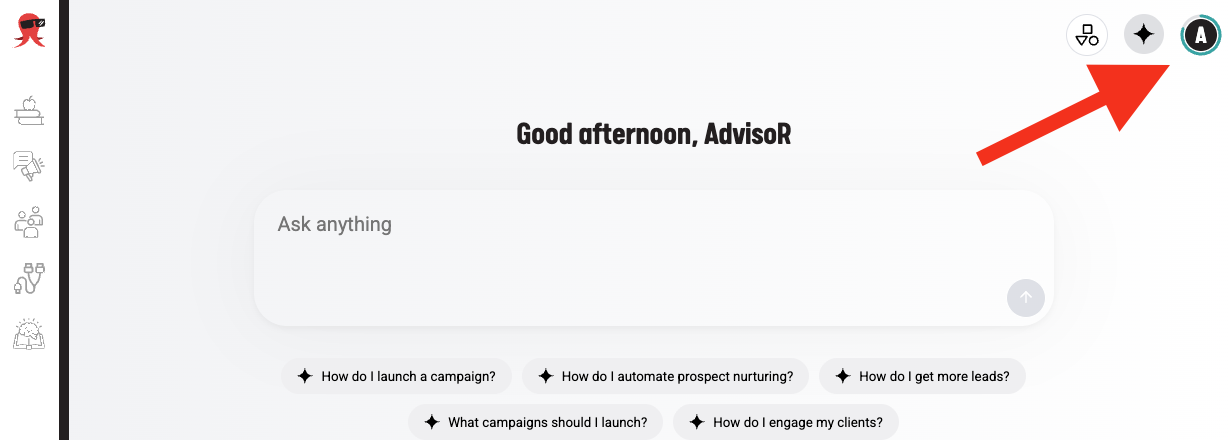
- The ring around your profile avatar is also a good indicator of how much credits you have left.
- Keep questions focused when you need to reduce the amount of information processed.
- Start a new chat for a new topic when possible; very long conversations can use more credits.
What happens next
Before each message, Snappy AI checks whether your usage is below the monthly allowance. If you have reached the limit, new messages cannot be sent until the allowance resets.
Troubleshooting
- You've reached your monthly AI assistant usage limit: Wait for the monthly reset.
- Usage seems higher than expected: Long conversations, large amounts of retrieved data, multiple tool-use rounds, and long replies can increase usage.
- Credits did not carry over: Unused credits expire at the monthly reset and do not roll over.
When to contact Support
Contact Support if the usage indicator does not match your organization's records or if you cannot send messages before the displayed limit is reached.